
Computing
Computing in Cookham Dean Primary
Intent
At Cookham Dean, we want all students to be able to thrive as responsible, digital citizens. Technology is everywhere and will play a pivotal part in our students' lives. Therefore, we want to model and educate our pupils on how to use technology positively and safely.
We want our students to be confident and competent using a range of technology and our broad computing curriculum includes computer science, digital literacy and online safety. We encourage staff to try and embed computing across the whole curriculum to make learning creative and accessible. We recognise that technology can allow pupils to share their learning in creative ways. We also understand the accessibility opportunities technology can provide for our SEN pupils.
By the end of Key Stage 2, we want all children to be flexible, creative, responsible and confident users of technology, who are able to choose the best tool to fulfil the task and challenge.
Implementation
In Cookham Dean we have adopted the NCCE Teach Computing Programme which we use in conjunction with Project Evolve to ensure consistency and coverage.
Our children begin their journey with technology in Early Years, with access to iPads and Codepillars, as well as some time spent with laptops to familiarise children with a keyboard setup. Teachers facilitate children’s curiosity with challenge and modelling how to use the equipment carefully and safely.
In KS1 children continue their journey with the BeeBots, using them more precisely. They learn how to programme a BeeBot to reach a destination and begin to be able to debug when something doesn’t work out the way they imagined. They also use apps such as A.L.E.X to explore early programming using the Ipads.
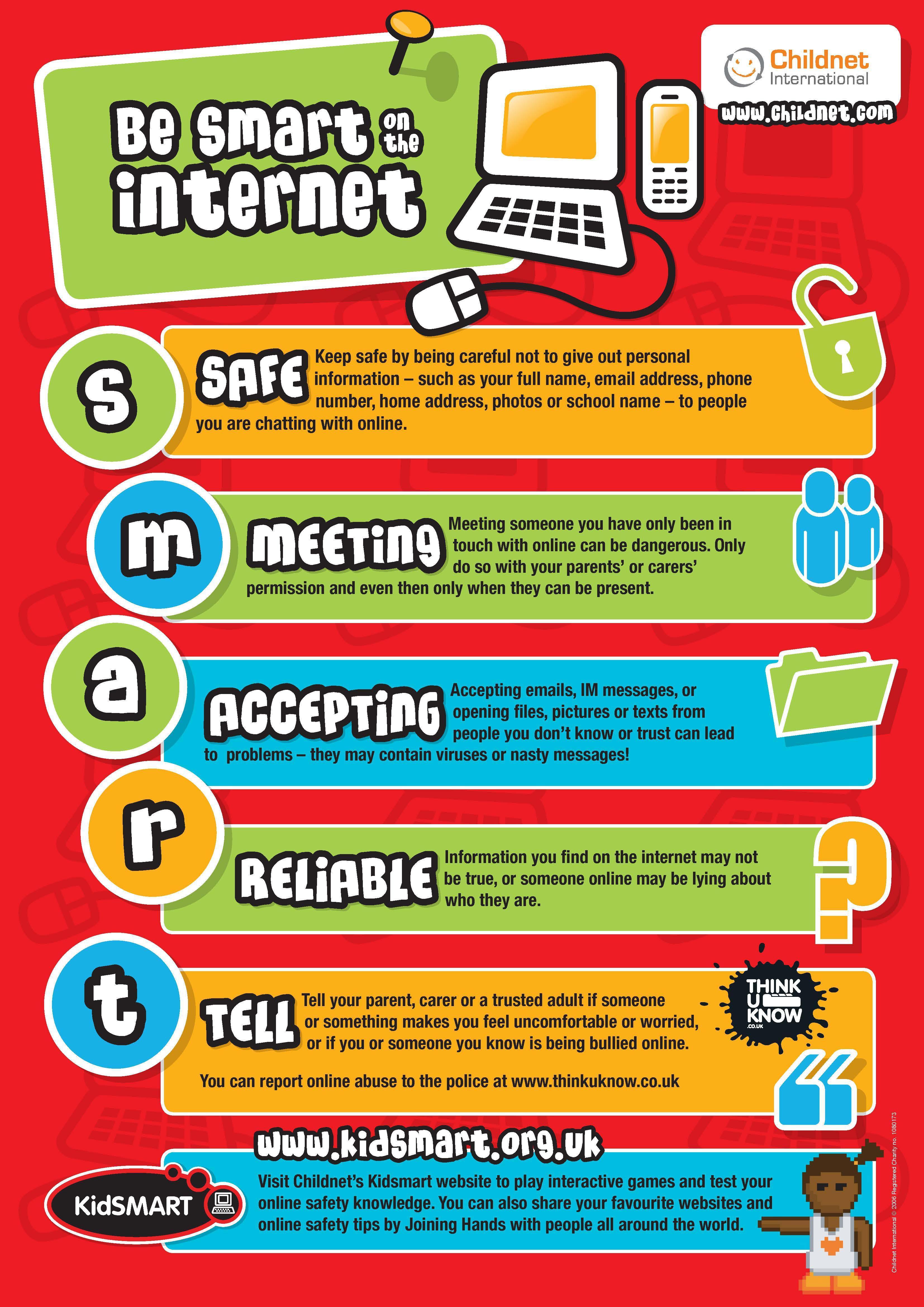
With laptops they improve their mouse control, keyboard skills and learn how to log on and off a computer using their own username and password. They learn about online safety and what to do if they encounter something which makes them feel uncomfortable as well as what personal information is and why it is important we don’t share it with someone on the internet. Coding then progresses from BeeBots onto an iPad and computer-based programme using Purple Mash where children learn how to programme a variety of sprites.
In KS2, children continue this coding journey, not only making the sprites move, but interact with each other. As children progress up KS2 the coding becomes more complex and they are able to create basic games with different codes such as Scratch, Minecraft, Python and Logo.
In terms of Coding, Upper key Stage 2 learn to control and manipulate both Crumbles and Microbits. They use both of these within both the Computing and Design Technology curriculum.
Their digital literacy skills are combined with English, science, history and geography and work is word processed and presentations are created using PowerPoint, Sway and other multimedia packages. The children will plan and record videos and other animations. The children use MS Office and Teams based programmes as well as, the Purple Mash platform.
Children learn how to use the hardware we have in school including Ipads, laptops, Interactive whiteboards, webcams and robots.
We use Camera on IPads where they are taught how to take and manipulate pictures, showing them that what they view in the media isn’t always accurate. We use camera to teach Stop animation using Imovie. Our recently installed green screen ensures children can be anywhere around the world broadcasting.
Online safety is taught regularly at an age appropriate level and forms the basis of all Computing learning. We use Project Evolve across all year groups and have adapted the lessons to suit the needs of our children. We believe that pupil voice is a vital part when learning and we have a team of digital leaders who promote computing and online safety within the school.
The children are also taught internet safety throughout each year of KS2. ( both integrated into the lesson weekly, and as a separate Term1 block. We also have a a School-wide Week which corresponds to National E Safety week.) Children know how to keep themselves safe online and what to do if they come across something that makes them uncomfortable. KS2 are taught the difference between being a bystander and an upstander and the importance of reporting something they experience happening to themselves or another person, as in accordance with our Anti Bullying Policy and our Online Safety Policy.
Upper KS2 understand the importance of media balance and appreciate that as they get older, they are more responsible for their digital footprint and how often they access a variety of forms of age-related media.
Impact
We want children to be confident users of technology, who will be able to implement their skills at school or at home. During their time at Cookham Dean and after, they will have a secure and comprehensive knowledge of technology and digital systems, enabling them to use these skills in the modern world.
We want children to know how to be responsible, safe and respectful online. They will be able to recognise the dangers that exist from the use of technology and voice their ideas about the potential risks of being online. They will be able to talk about ways to keep safe online and know what to do if they feel unsafe or see something that they do not like.
We measure the impact of our curriculum by: –
- Teacher assessments made against the planned outcomes using the NCCE ‘I can’ statements for each area of Computing.
- Children’s self-assessment
- Pupil discussion and feedback (pupil voice) (skills and knowledge).
- Reflective staff feedback (teacher voice).
- Monitoring by the Computing Subject Leader during learning walks.
- Opportunities for dialogue between teachers.
- Monitoring of children’s work– kept on server and Photo evidence and images of practical learning.
WAKE UP WEDNESDAY- UP TO DATE GUIDES TO GAMES
SAFER INTERNET DAY 2026...
AI Friend or FOE?
Cookham Dean School recognises the enormous impact that AI has on today’s fast‑changing world, and we believe it’s vital that our pupils grow up understanding both its exciting possibilities and its potential pitfalls. That’s why we’re committed to teaching children not just how AI can support creativity, learning and problem‑solving, but also how to approach it with curiosity and caution.
Recently, our whole school took part in a dedicated learning focus on spotting AI‑generated content—exploring how images, news stories, websites and even music can be manipulated or created entirely by technology. By giving our pupils these critical skills now, we’re empowering them to navigate the digital future with confidence, awareness and integrity.
To further help with AI
Internet Safety day with The Two JOHNS

Thursday, 2nd October, we celebrated our School Internet Safety Day, and we were delighted to host a series of e‑safety workshops for all classes and parents, led by The Two Johns (John Woodley and John Staines), nationally recognised experts in online safety.
The event was tailored specifically to Cookham Dean and provided families with valuable knowledge and confidence to help children stay safe in today’s digital world.
During the sessions, parents learned about the latest apps, games and online trends children are using, as well as the potential risks young people may face, including online bullying, grooming and inappropriate content. The workshops also offered practical advice on setting healthy boundaries, encouraging open conversations at home, and helping children make safe and responsible choices online.
The sessions throughout the day were informative, non‑judgemental and highly practical, featuring real‑life examples and up‑to‑date guidance.
Parents had the opportunity to ask questions and left with clear, actionable strategies they could use straight away.
How can I support my child with computing?
The best way to support your child with any aspect of computing is to enjoy using technology with them and model the safe and responsible use of it. Here are five ideas:
1. Become the student
Let them show you how to use their favourite app or do something that they have learned in school.
2. Help them use technology to support their homework
If they have to practise a maths skill, help them create a how-to video demonstrating the skill. Why not create a short film based on a story they have written? Or perhaps an animation? Find some YouTube videos or play games together that support what they’re learning about in school.
3. Research with them
Research a topic they are learning about or are interested in with them. Decide together how reliable you think each website is — does the information on it appear anywhere else? Who created the website? Discuss the rankings — why does the search engine rank some at the top and some further down?
4. Communicate with family
Keep in touch with family members by composing emails together or using services like Skype to make video calls. Discuss how useful these tools can be when used responsibly.
5. Chat regularly
Ask children how they have been using technology this week, what their favourite app is etc. Make sure they feel they can come to you, should an issue arise for them.
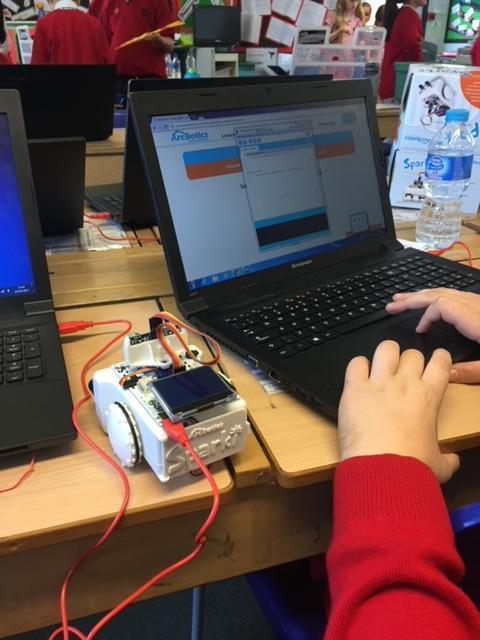
We love using technology. Let us show you how


Computing at Cookham Dean
Building confident, creative and responsible digital learners
In our Computing lessons, children don’t just learn how to use technology — they learn how it works, how to think logically, and how to use it safely and responsibly. From early programming skills to understanding the online world, our curriculum prepares pupils to thrive in a digital age.
Year 1 – Discovering the digital world
In Year 1, children begin their Computing journey through play, exploration and creativity. They will learn to:
- Understand what algorithms are by following and creating simple instructions
- Create and run basic programs
- Use technology purposefully to create, store and retrieve digital content
- Learn how to stay safe online and keep personal information private
- Explore how technology is used in everyday life beyond school
Year 2 – Becoming confident digital users
As confidence grows, Year 2 children develop a deeper understanding of how technology works. They will:
- Learn that algorithms become programs on digital devices
- Understand how computers follow clear and precise instructions
- Debug simple programs when things don’t work as expected
- Use logical thinking to predict what programs will do
- Organise and manipulate digital content
- Learn to use technology respectfully
- Know where to go for help if they are worried about online content or safety
Year 3 – Using technology with purpose
In Year 3, pupils start to use Computing as a tool for problem-solving and creativity. They will:
- Write programs that achieve specific goals
- Use sequence, inputs and outputs in programs
- Learn how to search the internet effectively
- Use a range of software to complete tasks
- Collect, present and design digital content
- Use technology responsibly
- Understand how and where to report concerns about online contact
Year 4 – Thinking like a computer scientist
Children in Year 4 develop more advanced programming and digital skills. They will:
- Design and create purposeful programs
- Debug programs and fix errors using logical reasoning
- Choose the most suitable software and online services for tasks
- Collect and present data in meaningful ways
- Learn how to report concerns about online content
- Recognise acceptable and unacceptable behaviour on the internet
Year 5 – Understanding networks and problem-solving
In Year 5, pupils explore how technology connects us and supports communication. They will:
- Control or simulate physical systems
- Learn how computer networks, including the World Wide Web, work
- Understand how search results are selected
- Solve problems by breaking them into smaller parts
- Use variables and selection in programs
- Collect, present and analyse data
- Explore how networks support communication and collaboration
- Recognise appropriate online behaviour
Year 6 – Preparing for the digital future
By Year 6, pupils are confident, capable and thoughtful users of technology. They will:
- Use variables, selection and logical reasoning in programs
- Explain how algorithms work and identify and correct errors
- Understand computer networks and the internet
- Learn how and why search results are ranked
- Combine a range of software and digital devices to achieve goals
- Collect, analyse and evaluate data
- Design and create digital systems
- Work collaboratively using technology
- Become discerning and critical when evaluating digital content
Online Safety at Cookham Dean
Supporting children to flourish safely in a connected world
Online safety is an essential part of children’s education in today’s fast-moving digital landscape. At Cookham Dean, it is fully embedded across the curriculum so that children learn not only how to use technology, but how to use it safely, responsibly and with confidence.
Children today engage with a wide range of digital experiences — from online learning platforms and search engines to games, messaging apps and social media. Our aim is to equip them with the skills they need to make good choices, recognise risks, and know where to go for help when they need it.
We also believe that strong partnerships with parents and carers are key to keeping children safe online.
Support for Parents and Carers
The online world changes rapidly, and keeping up can feel challenging. We therefore encourage families to use trusted, up-to-date sources of guidance, including:
- Current government advice for parents on online safety and cyberbullying
- Parent Info, a regularly updated website offering clear, practical guidance on apps, games, social media trends and emerging online issues
These resources are designed to help parents feel informed and confident when supporting children online.
Online Safety at Home
The internet plays a huge role in children’s lives. It supports learning, creativity, communication and entertainment — but it can also present risks such as:
- Online bullying or unkind behaviour
- Exposure to inappropriate or misleading content
- Pressure to share personal information
- Contact from people they don’t know
To help families manage these risks, we offer a simple online safety checklist to support safer internet use at home.
Most importantly, research shows that children are safest online when adults talk regularly and openly with them about their digital lives.
Talking to your child about their online world
You could:
- Ask your child what apps, games or websites they enjoy and why
- Talk about what they do if something online makes them feel uncomfortable or unsure
- Discuss what personal information should never be shared
- Check they know how to use privacy settings, block users and report concerns
- Encourage them to support friends and speak up if they are worried about someone else
- Think together about healthy screen habits and positive ways to enjoy technology as a family
Parent Resources
To help parents navigate the ever-changing online landscape, we recommend a range of reliable resources listed at the bottom of this page. These provide guidance on:
- Popular apps and games
- Online trends and challenges
- Digital wellbeing and screen time
- Keeping children safe on social media and messaging platforms
We also recommend resources from Childnet, including a clear and practical leaflet for parents.
Online Safety at School
Online safety is a core part of our Computing curriculum and wider safeguarding approach. In school:
- Internet access is closely supervised by staff
- Online activities are carefully planned and age-appropriate
- Children are taught how to behave respectfully online and how to manage risks
We believe that technology is an essential tool for learning and preparing children for the future. To support this safely, our school internet provider uses up-to-date filtering and monitoring systems to restrict access to inappropriate content and help protect pupils while they are online.

Online Safety At Cookham Dean
Mix Up Coding Afternoon.
KS2 enjoyed an afternoon using Crumbles on the Ipads.
The children lov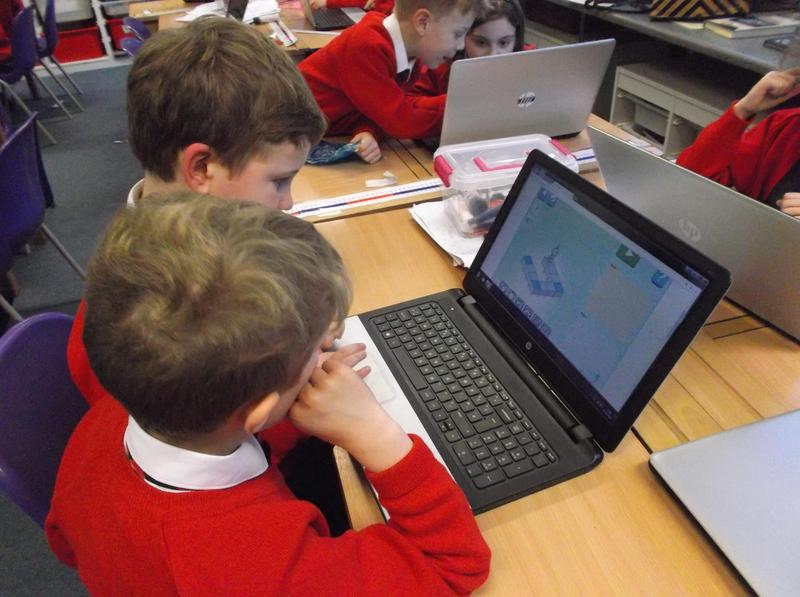 ed working across the age range, developing their games.
Information & websites
News:
Our server now enables the children to have their own space for saved work and to access a full range of software more efficiently. As a result of this each child will be issued with a new log in and password, please try to help your child to remember these.
- Coding at Cookham Dean Children have been enjoying making their won games and writing more complex programs. Help your child to develop their coding skills. ( it's easier than you imagine.)